string meaning ------ ----------- @reboot Run once, at startup. @yearly Run once a year, "0 0 1 1 *". @annually (same as @yearly) @monthly Run once a month, "0 0 1 * *". @weekly Run once a week, "0 0 * * 0". @daily Run once a day, "0 0 * * *". @midnight (same as @daily) @hourly Run once an hour, "0 * * * *".
1 2 3 4 5 6 7 8 9 10
# For details see man 4 crontabs # Example of job definition: # .---------------- minute (0 - 59) # | .------------- hour (0 - 23) # | | .---------- day of month (1 - 31) # | | | .------- month (1 - 12) OR jan,feb,mar,apr ... # | | | | .---- day of week (0 - 6) (Sunday=0 or 7) OR sun,mon,tue,wed,thu,fri,sat # | | | | |
0 0,3,6 * * * cd /home/t00906153/OpenSora/OpenSora_performance_test && git stash save "Stash before script run at $(date +"%Y-%m-%d %H:%M:%S")" && bash test/train_full_opensorav1_1.sh >> /home/t00906153/crontab.log 2>&1 && git stash pop && echo"Executed at $(date)" >> /home/t00906153/crontab.log
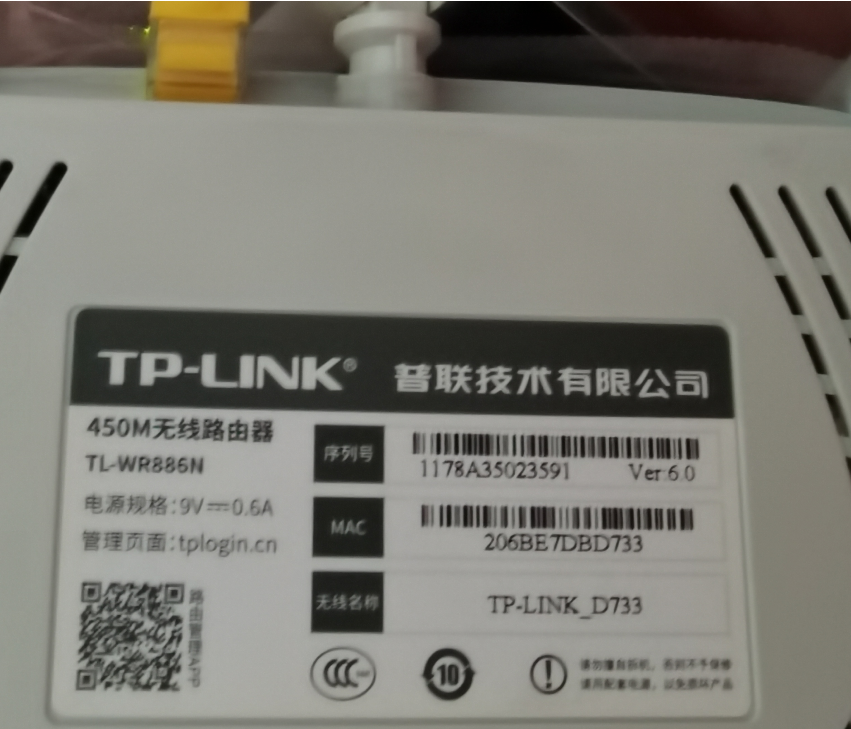
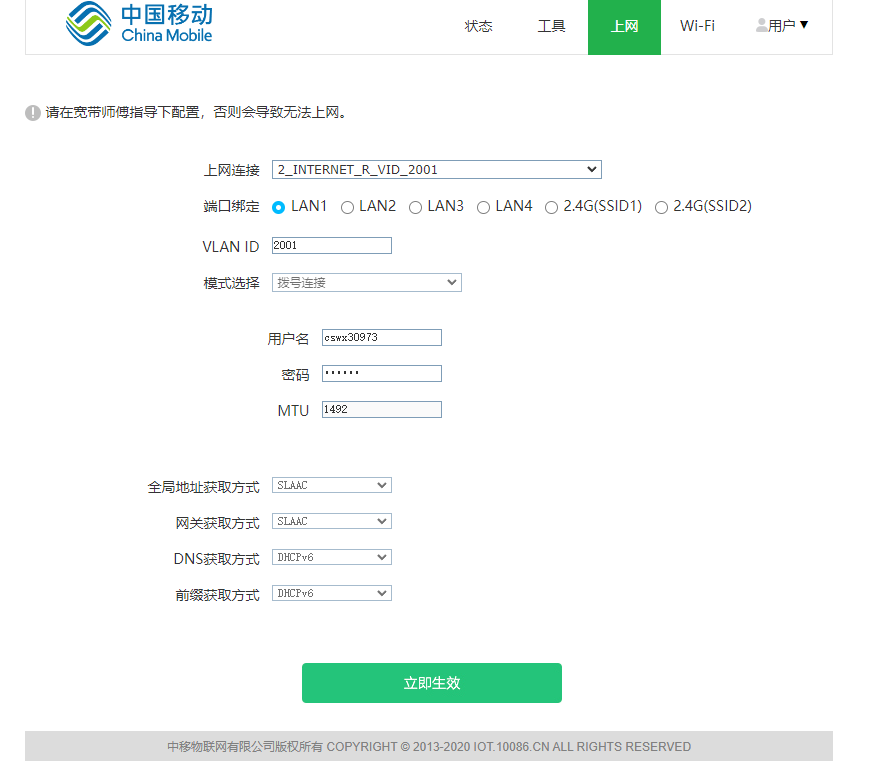
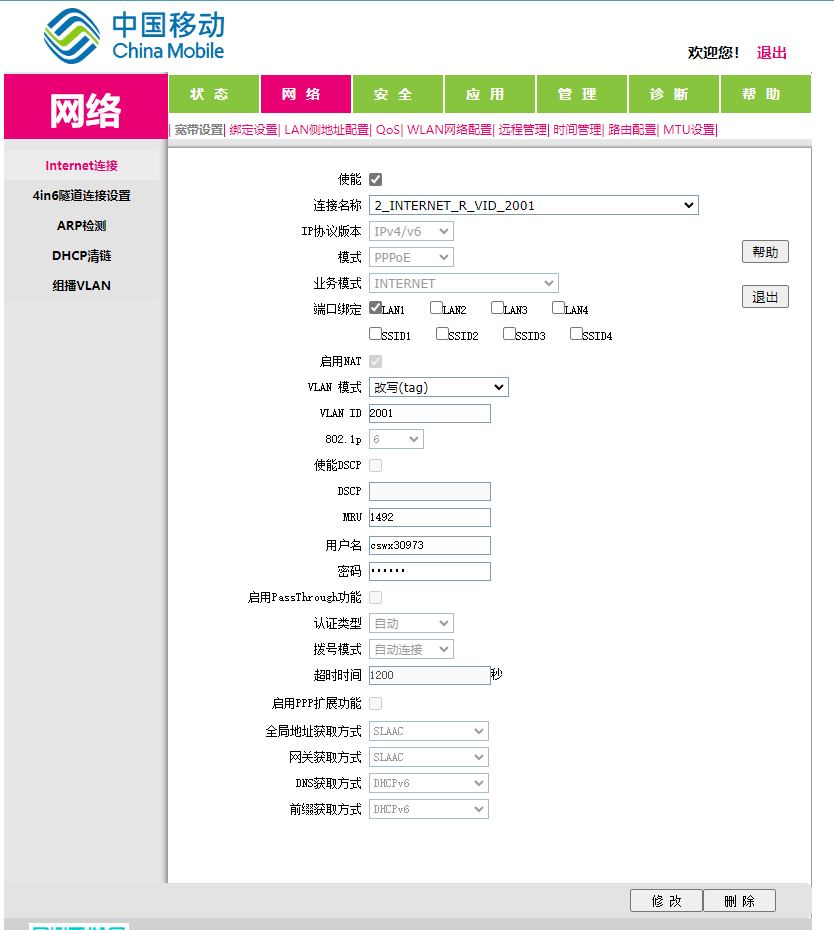
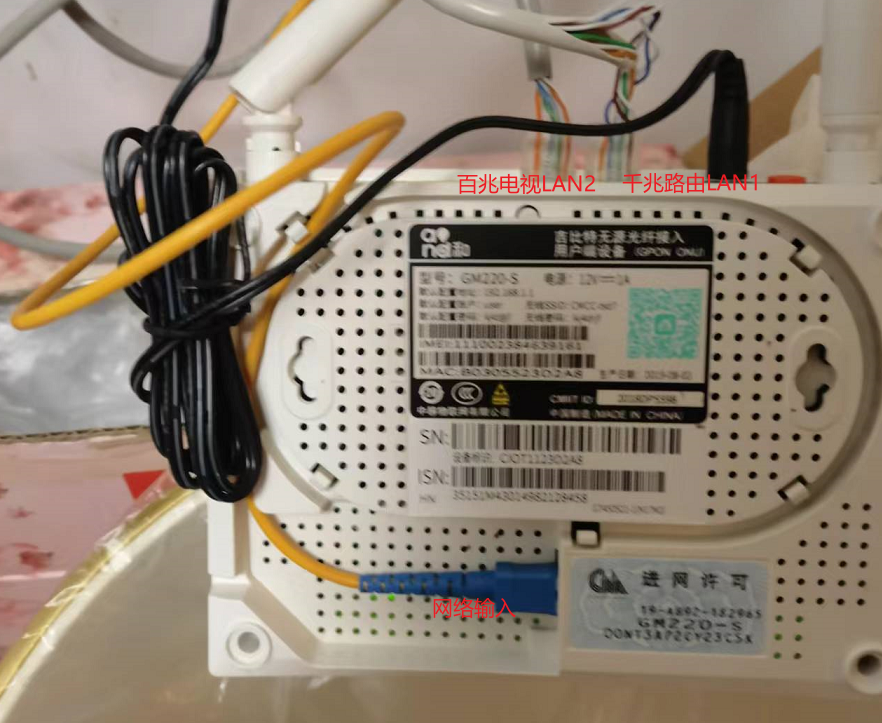
WAN是英文Wide Area Network的首字母所写,即代表广域网;而LAN则是Local Area Network的所写,即本地网(或叫局域网)。WAN口主要用于连接外部网络,而LAN口用来连接家庭内部网络,两者主要会在标识上面有区别,此外大部分路由器的WAN口只有一个,LAN口则有四个或以上。
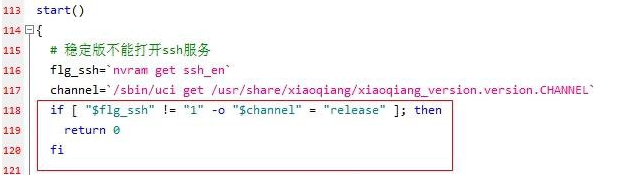
# nvram写入flash # Enable uart and boot_wait, useful for testing or recovery if you have an uart adapter! nvram set ssh_en=1 # 设置串口打开,以便ssh失败时,硬件debug nvram set uart_en=1 nvram set boot_wait=on
# Set kernel1 as the booting kernel nvram set flag_boot_success=1 nvram set flag_try_sys1_failed=0 nvram set flag_try_sys2_failed=0
Collected errors: * check_data_file_clashes: Package dnsmasq-full wants to install file /etc/hotplug.d/ntp/25-dnsmasqsec But that file is already provided by package * dnsmasq * check_data_file_clashes: Package dnsmasq-full wants to install file /etc/init.d/dnsmasq But that file is already provided by package * dnsmasq * check_data_file_clashes: Package dnsmasq-full wants to install file /usr/lib/dnsmasq/dhcp-script.sh But that file is already provided by package * dnsmasq * check_data_file_clashes: Package dnsmasq-full wants to install file /usr/sbin/dnsmasq But that file is already provided by package * dnsmasq * check_data_file_clashes: Package dnsmasq-full wants to install file /usr/share/acl.d/dnsmasq_acl.json But that file is already provided by package * dnsmasq * check_data_file_clashes: Package dnsmasq-full wants to install file /usr/share/dnsmasq/dhcpbogushostname.conf But that file is already provided by package * dnsmasq * check_data_file_clashes: Package dnsmasq-full wants to install file /usr/share/dnsmasq/rfc6761.conf But that file is already provided by package * dnsmasq * opkg_install_cmd: Cannot install package luci-app-openclash.
[root@ax6s ~]$ ip -6 neigh | grep 2c:f0:5d 2001:da8:d800:611:1818:61b6:6422:56a1 dev br-lan lladdr 2c:f0:5d:ac:1d:2c DELAY 2001:da8:d800:611:5464:f7ab:9560:a646 dev br-lan lladdr 2c:f0:5d:ac:1d:2c STALE 2001:da8:d800:611:4d13:ead8:9aaf:bfc4 dev br-lan lladdr 2c:f0:5d:ac:1d:2c REACHABLE 2001:da8:d800:611:a063:863f:caa3:4a73 dev br-lan lladdr 2c:f0:5d:ac:1d:2c STALE 2001:da8:d800:611:8c75:4f49:f9d0:42b6 dev br-lan lladdr 2c:f0:5d:ac:1d:2c STALE
ftp> get index.html local: index.html remote: index.html 200 EPRT command successful. Consider using EPSV. 150 Opening BINARY mode data connection for index.html (360991 bytes). 226 File send OK. 360991 bytes received in 0.01 secs (25.7474 MB/s) ftp> get index.html local: index.html remote: index.html 200 EPRT command successful. Consider using EPSV. 150 Opening BINARY mode data connection for index.html (16116 bytes). 226 File send OK. 16116 bytes received in 0.00 secs (15.3082 MB/s)
I try single command line put site/index.html index.html and after a minute get index.html get the old file.
My USTC homepage is blocked
1 2 3 4 5 6 7 8 9 10 11
ftp> ls
200 EPRT command successful. Consider using EPSV.
150 Here comes the directory listing.
drwxr-xr-x   46 0        0            4096 Oct 25 10:03 public_html.old
226 Directory send OK.
ftp> mkdir public_html
550 Create directory operation failed.
ftp> put jumpPage.html
local: jumpPage.html remote: jumpPage.html
200 EPRT command successful. Consider using EPSV.
553 Could not create file.
Pinging 2001:da8:d800:112::23 with 32 bytes of data: PING: transmit failed. General failure. PING: transmit failed. General failure. PING: transmit failed. General failure.